Complete Guide to Timestamp Camera: From Basic Features to Advanced Applications
When a photo needs to show more than a casual date stamp, the details start to matter. Format precision, location information, layered overlays, cleanup tools, and repeatable export rules all change how useful the final image becomes in real work.
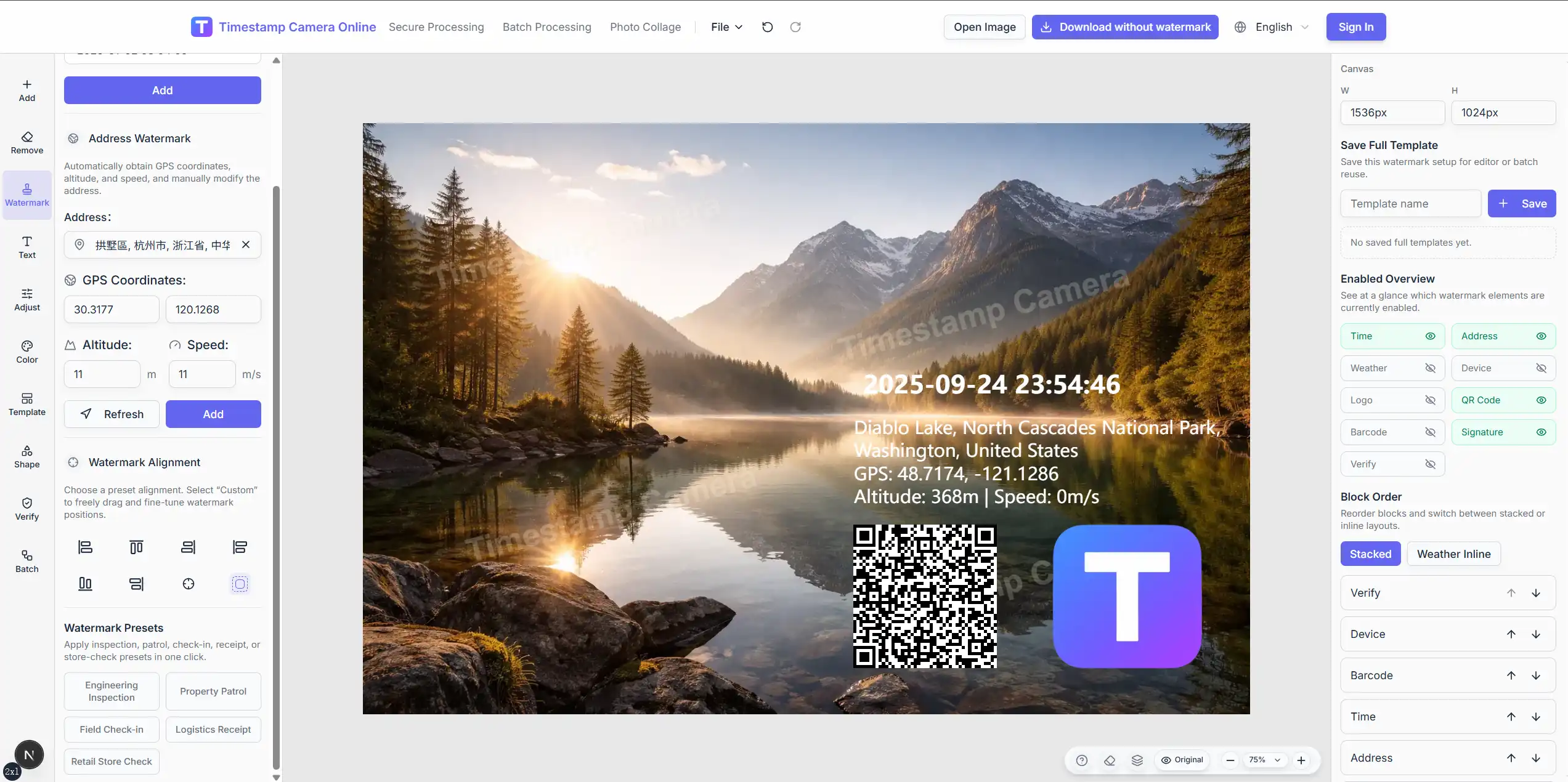
Core feature analysis of modern timestamp cameras
Millisecond-level time watermark system
One of the biggest advantages of a timestamp camera is precise visible time formatting. In some workflows, seconds are enough. In others, users want milliseconds, stricter sorting, or a format that matches team policy.
Practical time capabilities usually include:
- 12-hour and 24-hour display formats
- Millisecond-level precision with .SSS
- multiple date and time layouts
- ISO-style output for archives
- real-time update controls for current capture time
If you want to try these time watermark features in practice, TimestampCameras.com is one browser-based way to do it.
Address, coordinates, and geographic context
Modern timestamp cameras can also add location-style information. That matters when the image needs to show not only when something was recorded, but also where it happened.
Useful location fields may include:
- readable address labels
- latitude and longitude
- altitude
- speed
- manual adjustment or hiding of location detail
Need time and location on the same photo?
Use the dedicated time-and-location workflow when the image needs stronger proof value than a simple timestamp alone.
Multi-layer watermark overlay system
The real power of a timestamp camera lies in its multi-layer overlay capability. Users can combine time, address, summary text, signature, logo, QR codes, barcodes, and other proof-style elements on the same photo, with each layer positioned and styled independently.
Common layer types in current tools include:
- time watermarks
- address or coordinate blocks
- custom text summaries
- logo overlays
- signature or seal-style marks
- QR codes and barcodes
- weather and device info lines
- verification-style badges
These features can be combined in a browser-based workflow such as TimestampCameras.com without complex local setup.
Advanced customization features explained
Font style and typography system
Timestamp cameras usually provide strong font and style controls so the overlay can match different documentation needs.
Style customization options often include:
- font family
- color and opacity
- font size and weight
- shadow, stroke, and background blocks
- spacing and line height
- text alignment and rotation
Position management and layer control
Position control matters because the overlay has to stay readable without covering the most important part of the image.
Useful positioning features include:
- preset corner placement
- drag-and-drop position adjustment
- real-time preview
- independent positioning for multiple layers
- layer ordering for cleaner composition
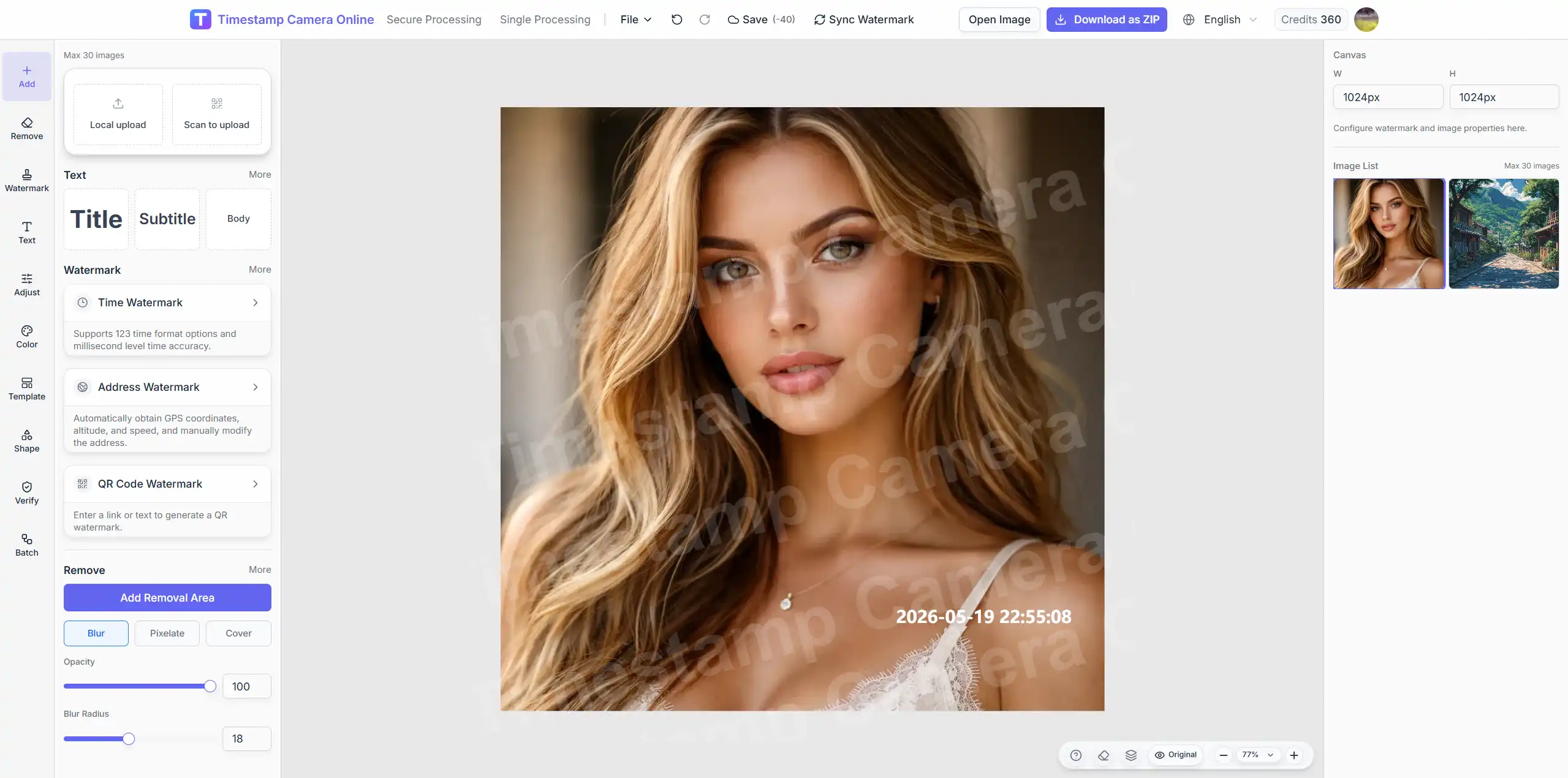
Cleanup, masking, and sensitive-info removal
Editing is not always about adding more content. Sometimes the most useful feature is removing or masking information that should not remain visible.
Common cleanup actions include:
- cover mode for solid blocks
- blur mode for mild redaction
- pixelate mode for stronger visual masking
- quick regions for plates, phones, addresses, and ID strips
This matters when a photo already contains a bad timestamp, or when you need to hide sensitive details before sharing the export.
Crop, rotate, and color correction
Documentation photos often need structural cleanup before the overlay is even added.
Practical image-adjustment features include:
- crop with common aspect ratios
- free crop for irregular source images
- rotate and flip controls
- exposure, brightness, contrast, and saturation controls
- preset scene adjustments and auto-optimization hints
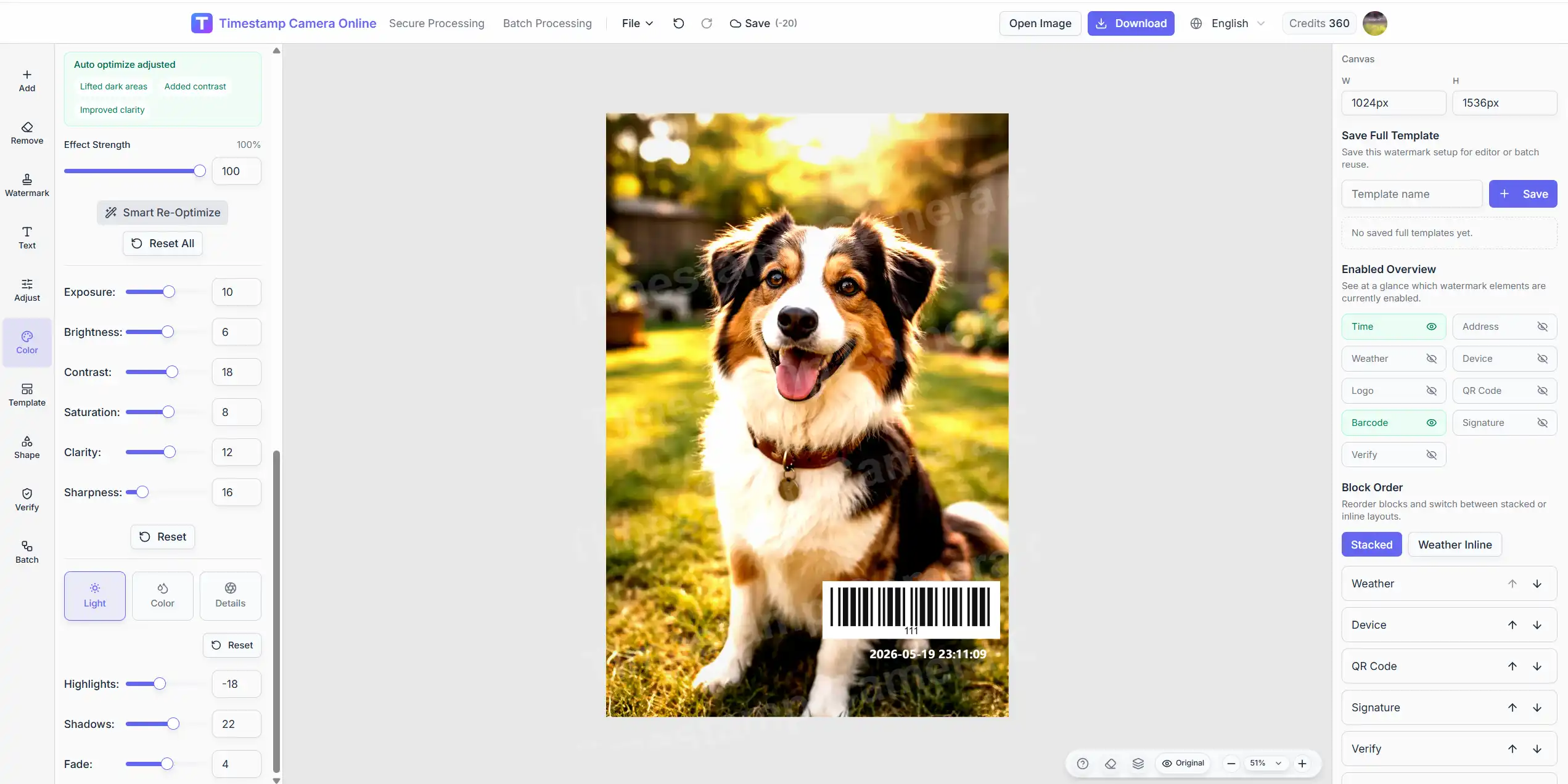
Need direct editing control?
Open the full editor to adjust format, placement, image cleanup, text styles, and export settings in one workspace.
Templates and repeatable workflows
One of the biggest improvements in modern timestamp workflows is not only more freedom, but also more structure.
Reusable workflow templates
Reusable templates help teams keep repeated output consistent. Instead of rebuilding the same layout every time, they can start from a preset that already fits the job.
Examples of useful template styles include:
- engineering inspection
- property patrol
- field check-in
- logistics proof
- retail display review
Why templates matter more than feature count
Users rarely care how many buttons exist in the editor. They care whether the team can produce a stable format again tomorrow.
Templates help with:
- consistent information hierarchy
- faster repeated work
- easier team onboarding
- cleaner archives
In-depth analysis of typical application scenarios
Enterprise attendance and employee management
In remote work, site attendance, and distributed teams, timestamped photos are often used to support check-ins and work records.
Why the workflow fits:
- clear visible capture time
- optional location verification
- signature or summary text support
- repeatable formatting across many images
Managing repeated team output?
Batch Processing is a better fit when many photos need one consistent timestamp format, cleanup rule, and placement system.
Compliance records and review archives
In compliance or review-heavy workflows, visible timestamped photos can become part of the review trail.
The value here is usually not a grand legal claim. It is simpler:
- clearer presentation
- repeatable structure
- easier human review later
- better consistency across a whole archive
Working with proof-style records?
Secure Processing is the right path when consistency and verification-style presentation matter more than customization.
Construction supervision and project management
In construction and maintenance work, timestamped photos help managers record progress and site conditions more clearly.
Useful combinations often include:
- timestamp
- address or site label
- weather line
- device line
- summary text for the inspection result
Scientific research and data collection
Research and field collection workflows also benefit when time and location are visible on the image itself.
The main value is less ambiguity when records are reviewed later.
Technical implementation and user experience optimization
Multi-platform compatibility design
Browser-based timestamp tools are often easier to use across desktop, phone, and tablet without changing the workflow.
Compatibility advantages include:
- no desktop installation
- easier cross-device access
- responsive layouts
- simpler team adoption
Privacy protection and data visibility
Privacy matters as soon as location and proof-style records enter the picture.
Good timestamp workflows should let users decide:
- whether to show exact coordinates
- whether to shorten the address
- whether to hide a sensitive region
- whether to keep the output minimal or detailed
Performance and export practicality
Performance matters because documentation tools lose value quickly if previews or exports feel heavy.
Users benefit more from:
- responsive previewing
- stable export rules
- reusable presets
- a clean batch flow
than from bloated feature lists alone.
Usage tips and best practices
Time format selection recommendations
Choosing one clear format for each workflow improves both speed and consistency.
Format selection guide:
- attendance scenarios: YYYY-MM-DD HH:mm:ss
- legal or review-oriented records: explicit full date and full time
- engineering records: compact archive-friendly formats
- high-precision records: YYYY-MM-DD HH:mm:ss.SSS
Watermark position optimization strategy
Good placement keeps the overlay readable without damaging the image itself.
Position selection principles:
- avoid covering important content
- ensure watermark clarity and readability
- match the image orientation
- keep one pattern for repeated work
Batch processing efficiency improvement
If you handle repeated photo sets, batch processing usually matters more than decorative flexibility.
Efficiency improvement methods:
- unified template settings
- shared adjustment presets
- consistent naming rules
- categorized storage management
Where these features are heading
Smarter editing assistance
One realistic direction is better assistance around real editing decisions, such as recommending formats, surfacing readable positions, or speeding up repeated setup.
Stronger standardized output
Another direction is more standardized proof-style presentation. Teams increasingly want image outputs that look consistent across users, shifts, or job sites.
Better browser-based workflow continuity
Phone upload handoff, reusable presets, secure-looking overlays, and cleanup tools are all part of the category maturing from a novelty feature into a working documentation stack.
Final takeaway
Timestamp cameras become more useful as soon as the photo needs to carry more context than a simple date stamp. Time precision, location fields, layered overlays, cleanup tools, templates, and batch rules all matter when the image is part of a real documentation process.
The best tool is not the one with the longest feature list. It is the one that helps you create accurate, readable, repeatable photo records with the least friction.