What is a Timestamp Camera?
A timestamp camera is a tool that places visible date and time information on a photo. People use it when they want the image itself to show when it was taken, whether for work records, inspections, delivery proof, or personal organization.
What a timestamp camera actually does
Timestamp cameras are image tools that add visible date and time information to photos. Unlike hidden metadata, this information stays directly on the image, which makes it easier to review later in reports, archives, or proof-style documentation.
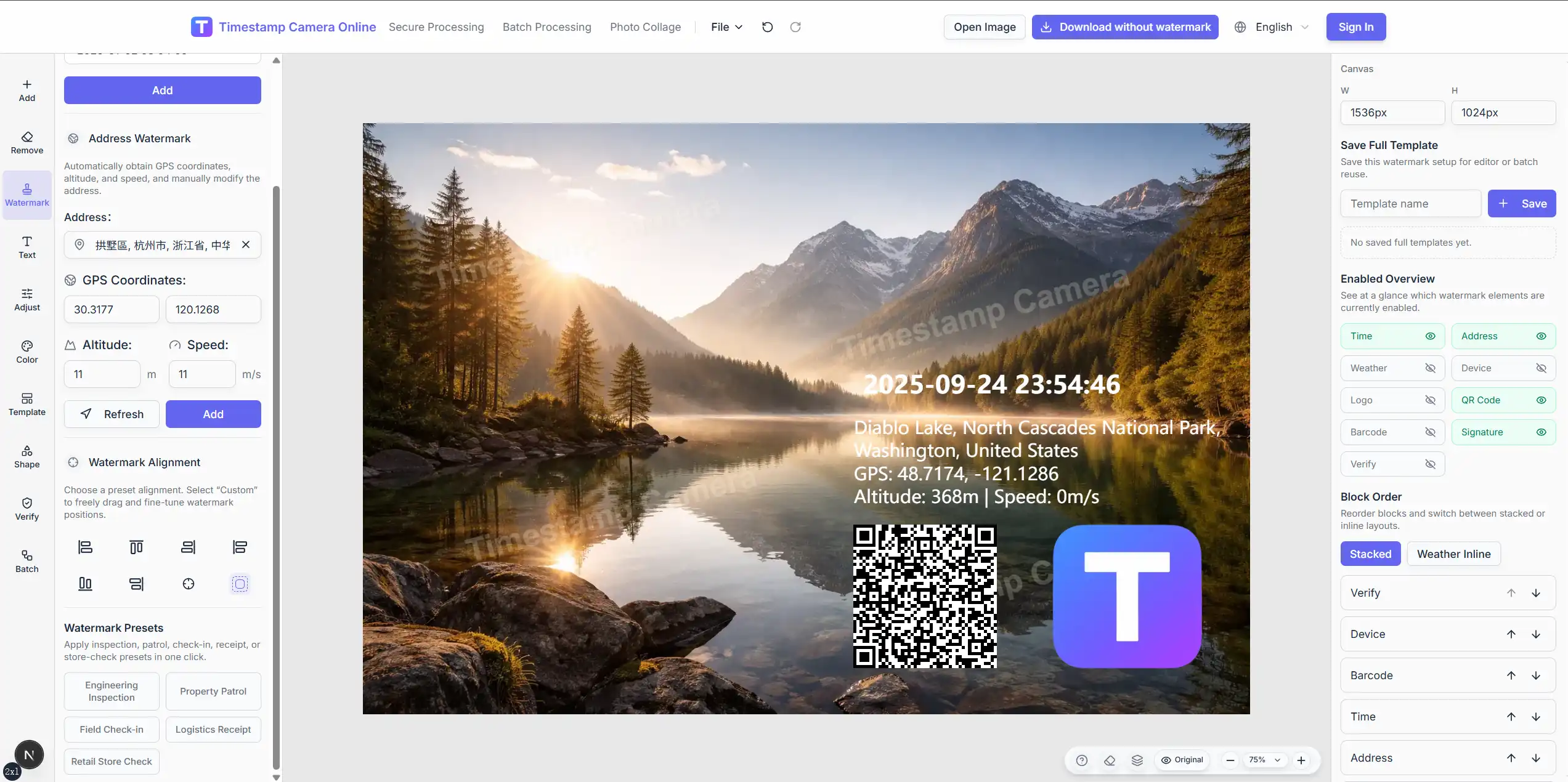
Modern browser-based tools often go further than one time line. They can also combine location text, coordinates, logos, signatures, QR codes, standardized summary blocks, and cleanup tools in the same workflow.
How a timestamp camera works
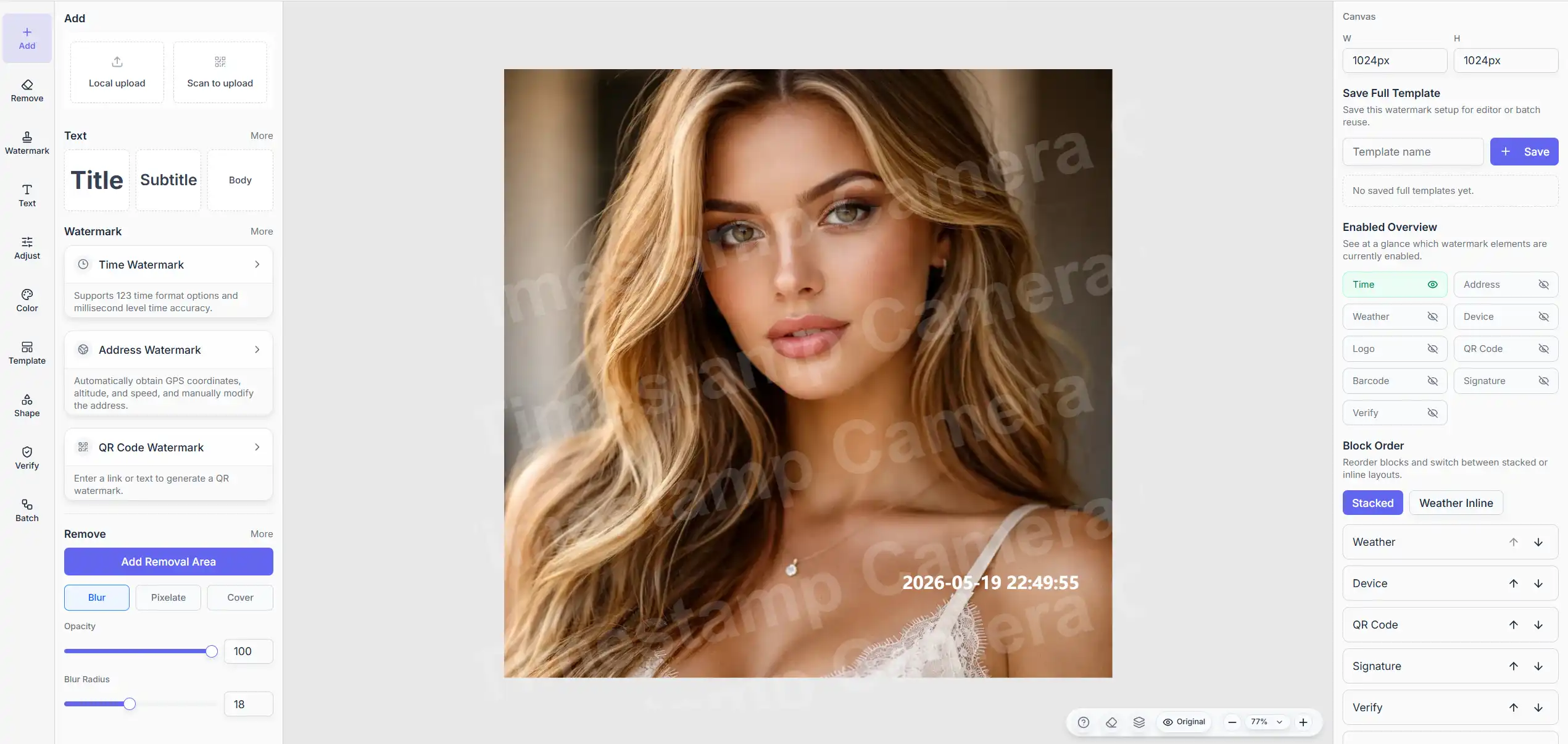
The basic workflow is simple. The tool reads the current time, formats it, renders it as visible text, and places it on the image.
In practice, that means four steps: capture the time value, convert it into the chosen format, render the text, and merge it into the image. Modern tools often add timezone-friendly formatting, style controls, layered overlays, and export settings on top of that.
Where timestamp cameras are most useful
Legal Forensics and Evidence Preservation
In legal and claim-related situations, visible time information can carry real weight. A timestamped photo makes it easier to show when something was recorded in traffic incidents, insurance documentation, field reporting, or dispute-related archives.
Need a more proof-oriented workflow?
If your main goal is traceability, standardized field records, or review-ready photo proof, use Secure Processing instead of the normal editor.
Project Management and Progress Tracking
In construction, engineering, research, and maintenance work, timestamped photos help teams track progress more clearly. Instead of relying on separate notes, the time is already visible on the image itself.

Social Media and Personal Records
For personal use, timestamp cameras help organize memories, travel photos, and timeline-style records. The value is not always proof. Sometimes it is simply clarity.
What modern timestamp tools include beyond time alone
A basic timestamp line is often enough for simple use. More documentation-heavy workflows usually need additional context such as:
- address or coordinates
- signature or seal-style marks
- logo overlays
- QR or barcode layers
- cleanup tools for old stamps or sensitive regions
- reusable templates for repeated work
The important question is not how many toggles exist. It is whether the final image becomes easier to review, archive, and trust later.
How to choose the right timestamp camera tool
Functional Requirements Assessment
Start with the real job you need to do. If the photos are for inspections, claims, or records that other people will review, you may need stronger formatting control, layered overlays, and a more standardized output structure. If the use case is personal, speed and simplicity may matter more.
Technical Indicator Comparison
Useful checkpoints include time precision, supported image formats, export quality, batch performance, reusable templates, and whether the overlay stays readable on different kinds of images.
One browser-based option
Among many timestamp camera tools, TimestampCameras.com is one browser-based option for adding visible time information, adjusting styles, and handling batch workflows without installing desktop software.
Best practices
Time Format Selection and Settings
The best time format depends on the audience. Legal or proof-style workflows usually benefit from YYYY-MM-DD HH:mm:ss. Personal photo records can be shorter. International teams often benefit from ISO-style consistency.
Position and Style Optimization
Placement matters as much as wording. Keep the timestamp away from the main subject, use clear contrast, and add a background or shadow if the photo is visually busy.
Batch Processing and Efficiency Improvement
If you handle many similar photos, batch processing saves time and keeps the result consistent. It also helps if you pair the workflow with stable naming rules, templates, and folder structure.
Processing many photos at once?
Use Batch Processing when you want one timestamp style applied consistently across multiple images.
Why browser-based tools are appealing
Convenience and Accessibility
The biggest advantage of online timestamp camera platforms like TimestampCameras.com is that no software download or installation is required. You can open the tool in a browser and work from desktop or mobile without extra setup.
Feature depth and easier updates
Professional online platforms usually combine multiple time formats, custom styles, layered proof elements, cleanup tools, and batch workflows in one place. They are also easier to keep up to date because the product changes on the server side rather than through manual local installs.
Better workflow continuity
Online platforms also make it easier to keep templates, workflows, and output standards consistent across devices and teams.
Want the fastest entry point?
Open the timestamp online workflow if you want to add date and time in the browser without extra setup.
Where the category is heading right now
More standardized field templates
One clear product direction is not just more editing freedom, but better reusable templates. Teams increasingly want engineering, check-in, delivery, and inspection layouts that can be reused instead of rebuilt for every photo.
Better proof-style presentation
Another shift is toward more standardized presentation. Verification-style badges, summary blocks, and secure-looking layouts help teams keep archives consistent even when the tool still remains an editing product rather than a formal legal certification system.
Stronger in-browser workflows
Browser-based timestamp tools are also improving the full workflow around the photo itself: phone-to-desktop transfer, batch setups, cleanup of old visible stamps, and export preparation for reports or archives.
Frequently Asked Questions and Troubleshooting
Timestamp Display Abnormalities
If the visible time looks wrong, first verify the device time, date, and timezone. If the mismatch remains, reload the page and check whether the chosen format is what you expected.
Image Quality and Compatibility Issues
When output quality drops, check the export settings first. Problems often come from format choice, scaling, compression, or excessive overlays rather than the timestamp itself.
Batch Processing Efficiency Optimization
For slow batch runs, reduce the number of files per export, close unnecessary background apps, and keep one reusable template instead of rebuilding settings every time.
Summary
Timestamp cameras are useful when the visible time on the image matters as much as the photo itself. The exact workflow changes by use case, but the main idea stays the same: make the image easier to review, archive, and trust later.
If you want to try the workflow in practice, TimestampCameras.com is a direct browser-based option.